MKhost Knowledgebase
Need help? Search or browse our large collection of articles on a variety of topics including hosting, domains, emails and more .
 1Domains
Change name servers (DNS) for a domain
Name server manipulation involves changing authoritative DNS servers on the desired domain.
Name servers allow linkage between the hosting and domain creating a unique whole. That’swhy it is often necessary to update the domain name servers if you make frequent changes to
your hosting.
The procedure of changing the name servers is the following:
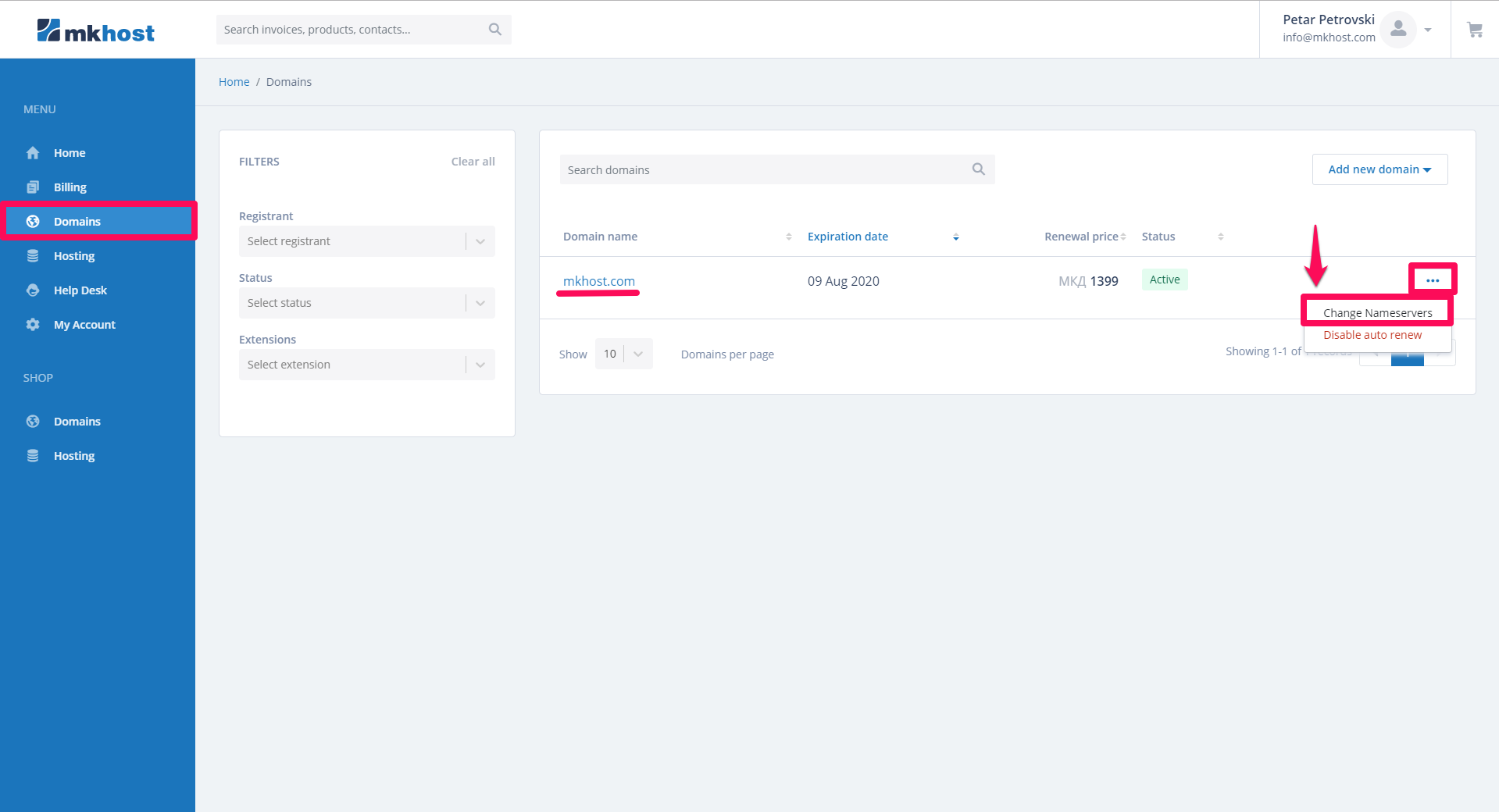
Log in to your client profilehttps://portal.mkhost.com. Click on Domains from the menu and find the domain you want to change the nameservers for. Click on the button on the left site → Change namservers.
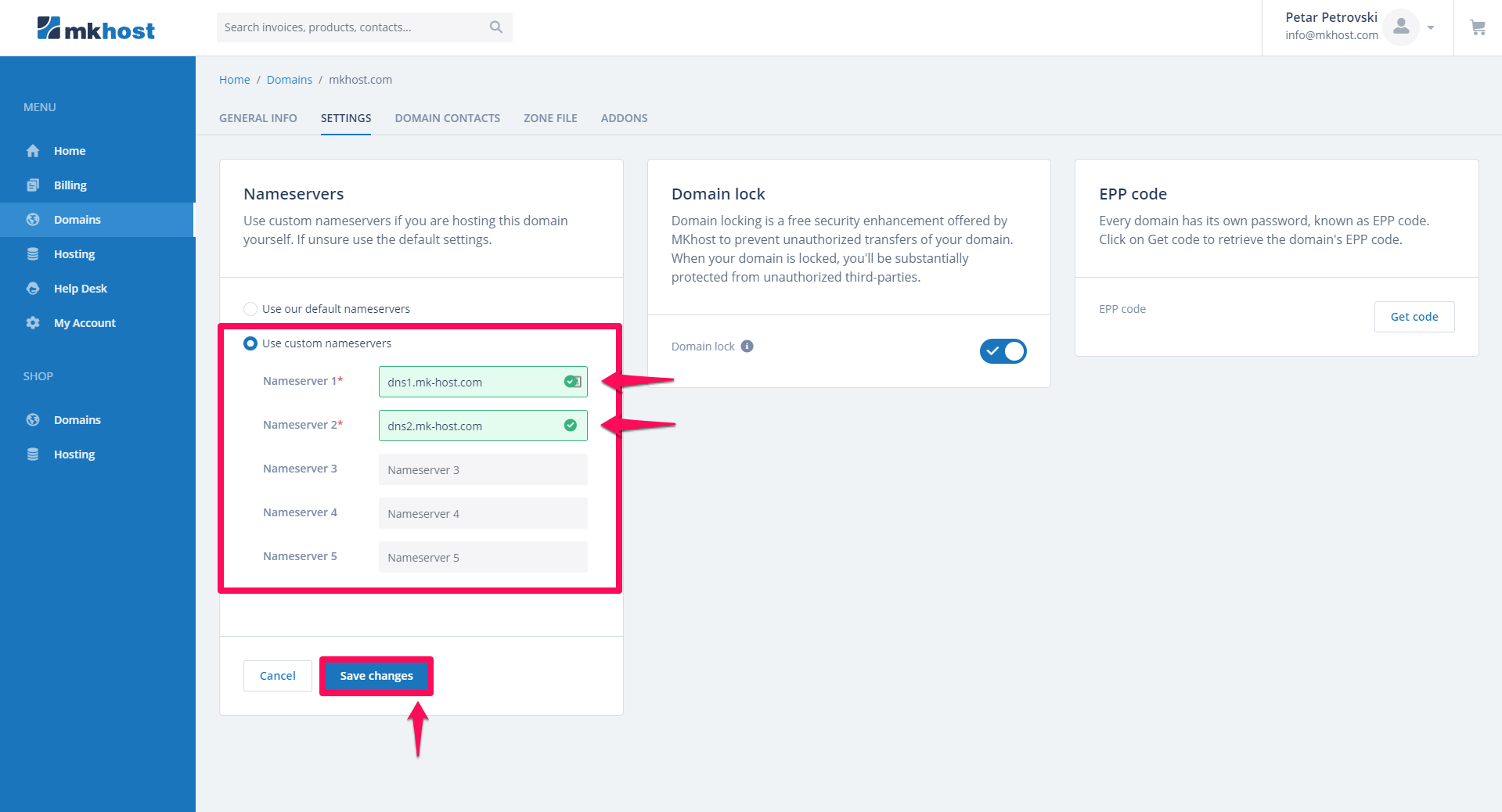
On Nameservers part click use custom nameservers and put your desired nameservers → Save changes