MKhost Knowledgebase
Need help? Search or browse our large collection of articles on a variety of topics including hosting, domains, emails and more .
 0cPanel
Redirecting a given domain via cPanel
The procedure for redirecting a given domain to another via cPanel is as follows:
Log in to your cPanel account, imenadomen / cpanel with the appropriate username and password.
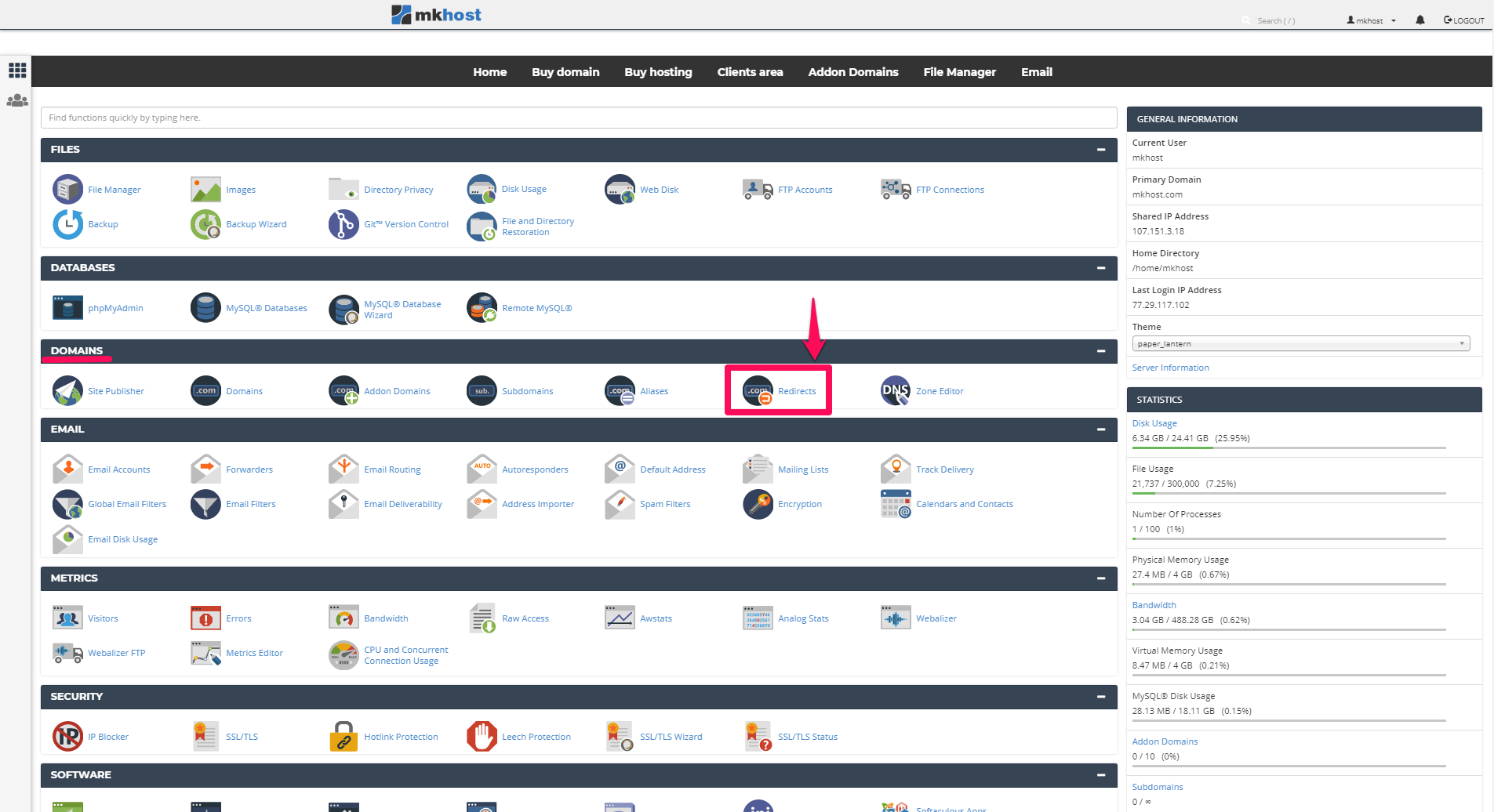
After successfully logging in, in the Domains section, click on Redirects
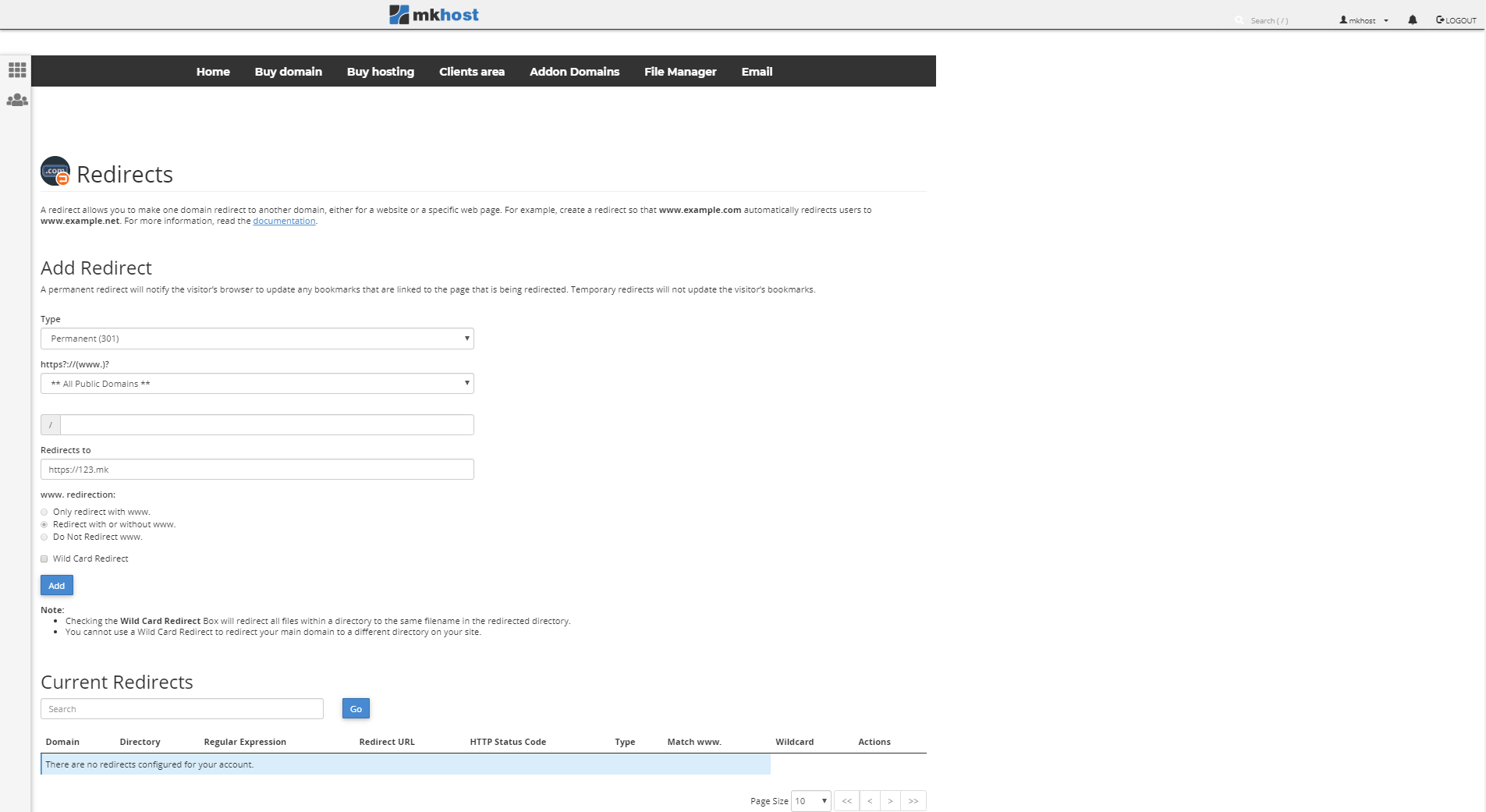
In the newly opened window, first select whether the domain redirection you want to be permanent or temporary.
In the redirects section, enter the domain you want the host domain to be redirected to.
Choose whether you want the domain to be redirected to www before it, without www or with and without www.
Finally click on Add