MKhost Knowledgebase
Need help? Search or browse our large collection of articles on a variety of topics including hosting, domains, emails and more .
 0General
How to order domain or hosting package?
1. Instructions for Ordering a Domain:
Check if the domain is available
- You can check the domain availability at the following link:here
.png)
Add the domain to the cart
- If the domain is available, click“Add to Cart.”
- If it is not available, try a different domain.
.png)
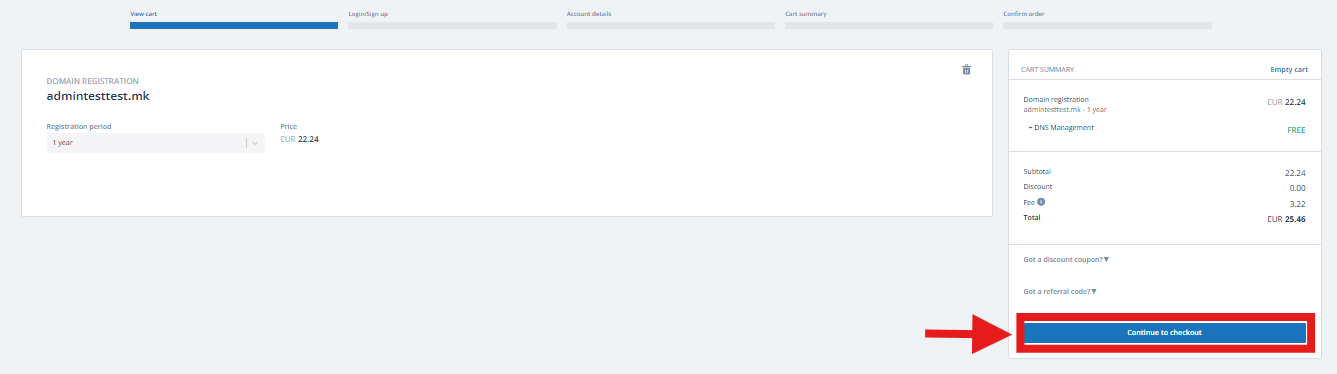
Open the cart and proceed to checkout
- Select the number of years you want to register the domain.
- Click“Proceed to Checkout.”
Log in or create a new account
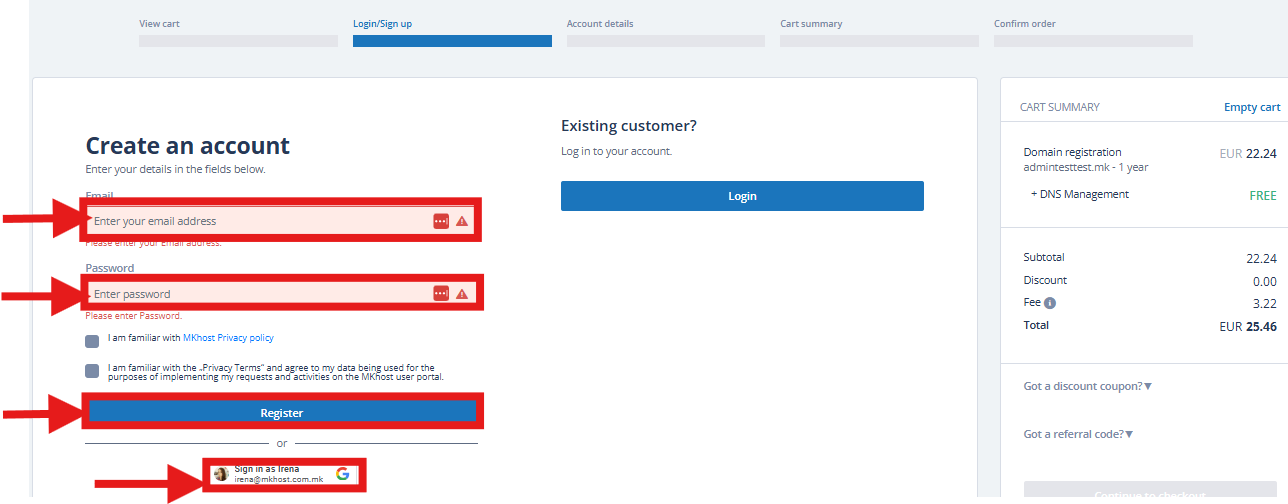
- Log in with your existing account if you already have services with MKhost.
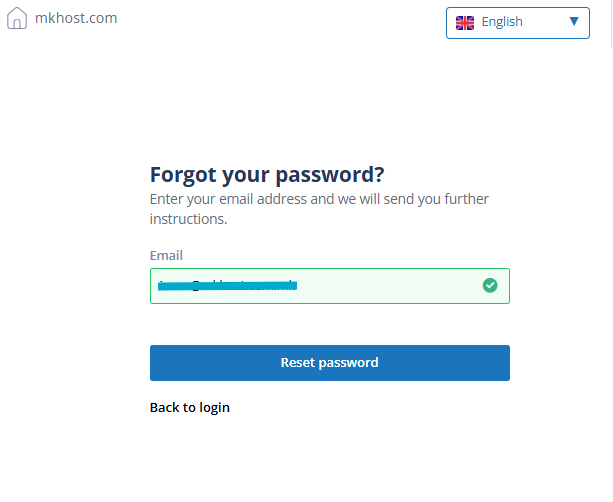
- If you forgot your password, click“Forgot Password.”
- Enter the email address associated with your account and click“Reset Password.”You will receive instructions via email to set a new password.
- If you do not have an account, click“Create New Account”as an individual or a company.
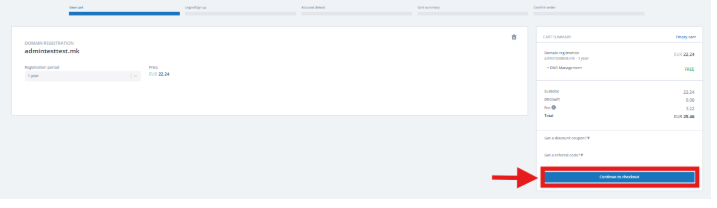
Review your orderMake sure everything is correct and click“Proceed to Checkout.”
Enter domain registration information
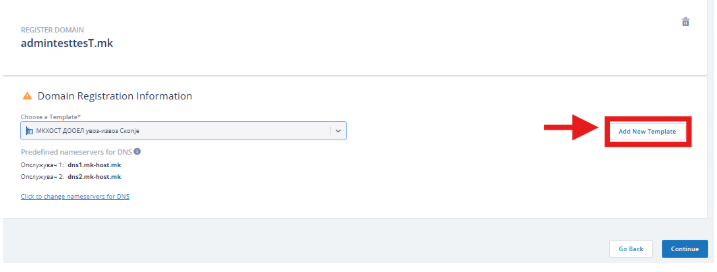
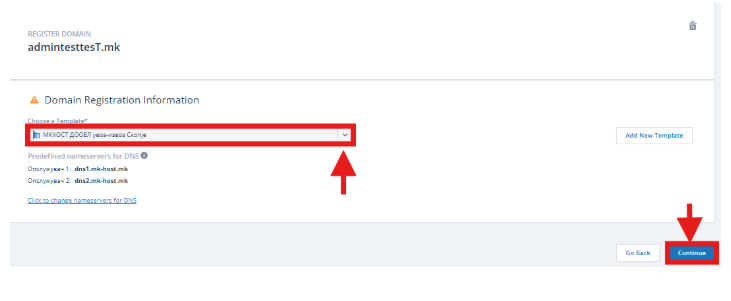
In the“Domain Registration Details”section, under“Select Template” (drop-down menu):
Click the drop-down menu to see all available contacts (individuals or companies).
Choose the contact you want to be the domain registrant.
If you want to add a new registrant:
Click“Add New Template.”
Once you have selected the registrant, click“Continue.”
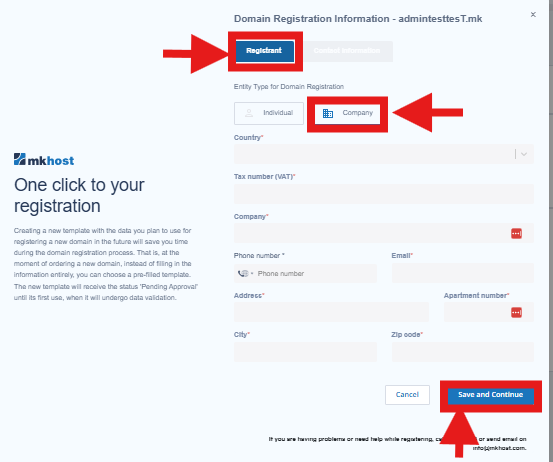
Enter all necessary information for the registrant (individual or company).
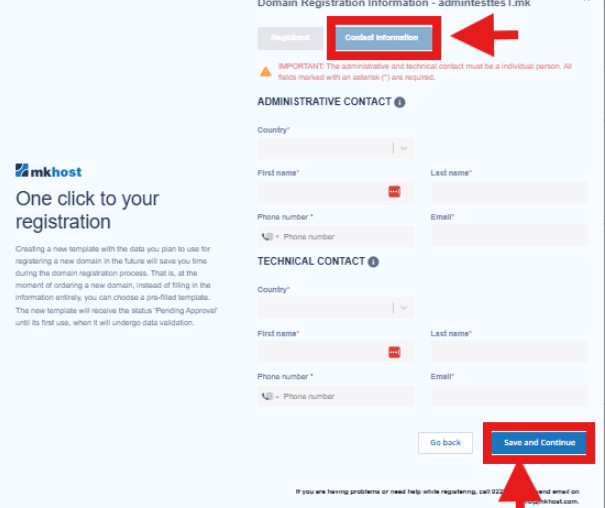
Enter all required information for the administrative and technical contacts (IMPORTANT: Only individuals can be administrative or technical contacts).Then click“Save and Continue.”
 In the future, you can use the same contact for other domains without re-entering the information.
Complete the order
- After selecting the domain registrant, click“Continue.”
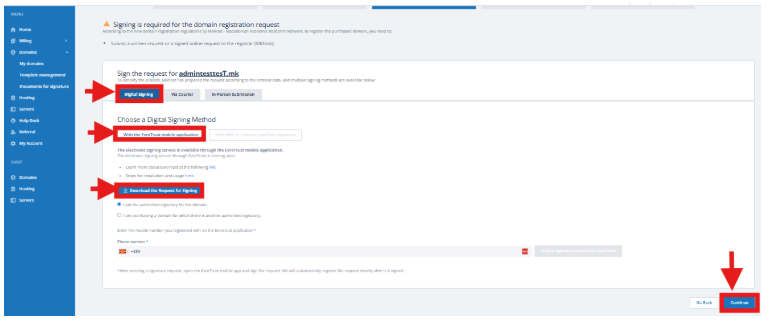
- Then proceed withsigning the domain registration request.
- According to the new MARnet regulations, the registration request must be signed. You can choose one of the following signing methods:
Digital signature: via KIBS, Telekom, or Eurotrust
In-person delivery: available for individuals and companies
Courier (Cargo): only for companies; individuals cannot use this option
After choosing the signing method, download the request and click“Continue.”
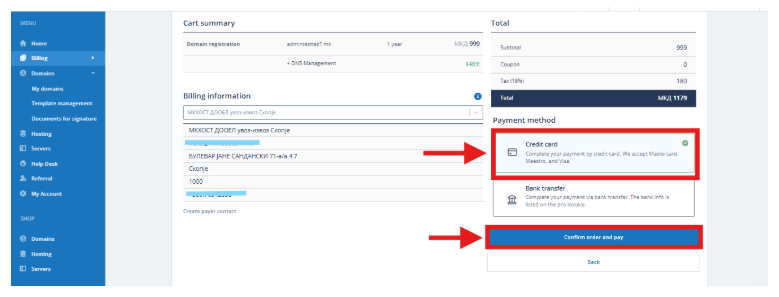
Then selectCredit Cardand click“Confirm Order and Pay.”
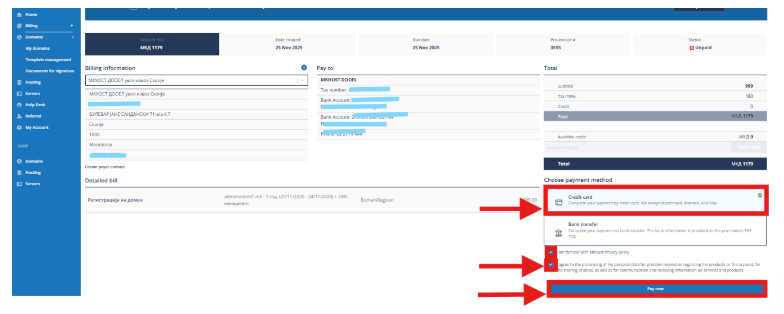
You will be automatically redirected to your bank’s online payment system to enter your card details.
You can view a detailed procedure for registering a domain on an existing account or on behalf of another personhere
2. Instructions for Ordering Hosting Without a Domain
You can review the hosting packageshereSelect the package that best fits your needs.
Log in or create a new account
Log in to:https://portal.mkhost.com.mk
- If you forgot your password, click“Forgot Password.”
- Enter the email associated with your account and click“Reset Password.”Instructions for setting a new password will be sent to your email.
- If you do not have an account, click“Create New Account”as an individual or company.
Add hosting to the cart
- Log inhere
From the menu, select“Hosting”
- Click“Purchase Hosting”
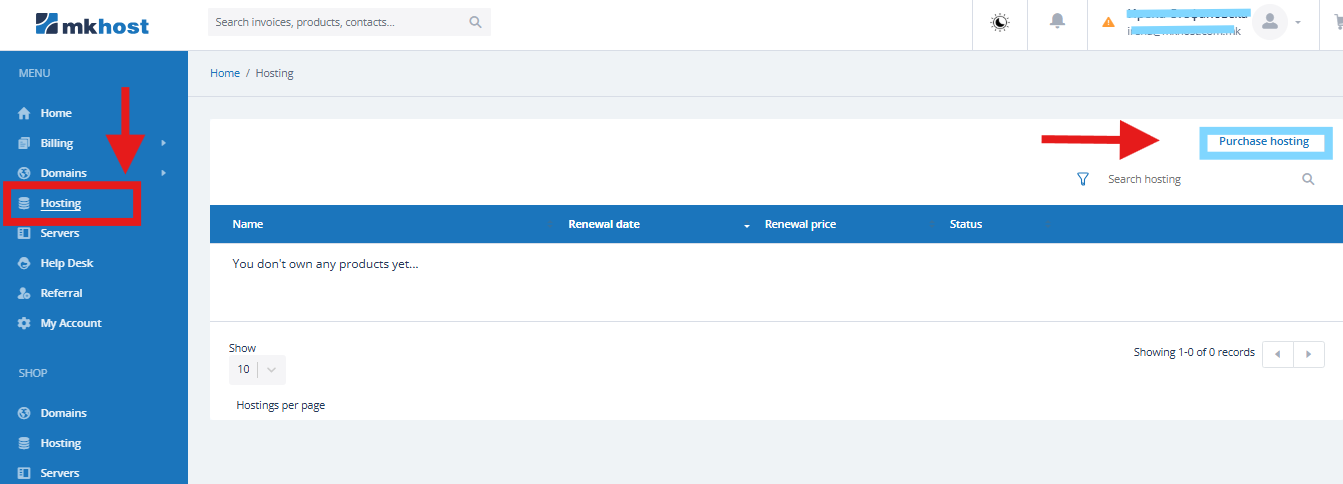
- In the newly opened window, choose whether you want to register a new domain or if you already have a domain. If you already have your own domain, enter the domain name. If you wish, you can transfer the domain, or simply specify the domain without transferring it to us.
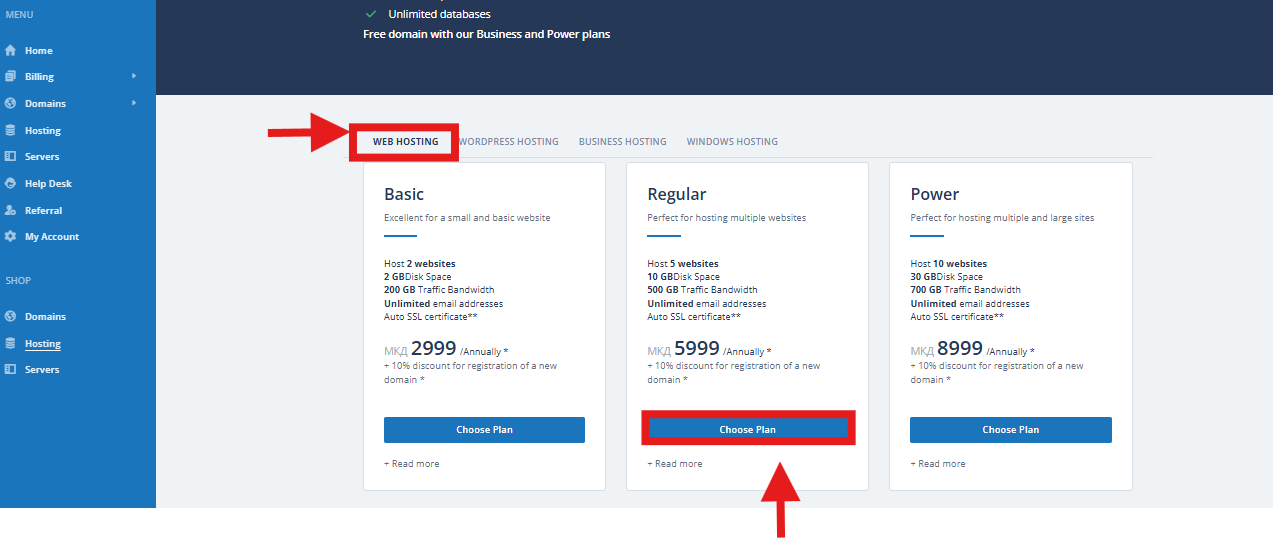
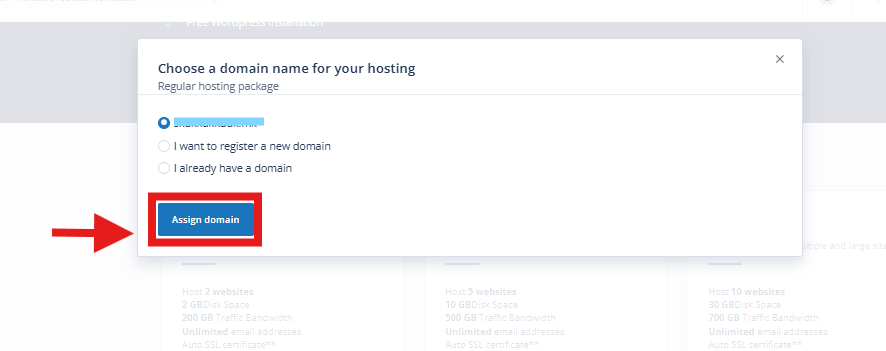
Click“Proceed to Checkout.”
Fill in the registration details (the entire process is described above), select a payment method, and click“Confirm Order and Pay.”
If you choose to pay by credit card, you will be redirected to the bank’s online payment system.
After successful payment, the hosting service will be automatically activated.