MKhost Knowledgebase
Need help? Search or browse our large collection of articles on a variety of topics including hosting, domains, emails and more .
 0General
How to change the password of a particular email address?
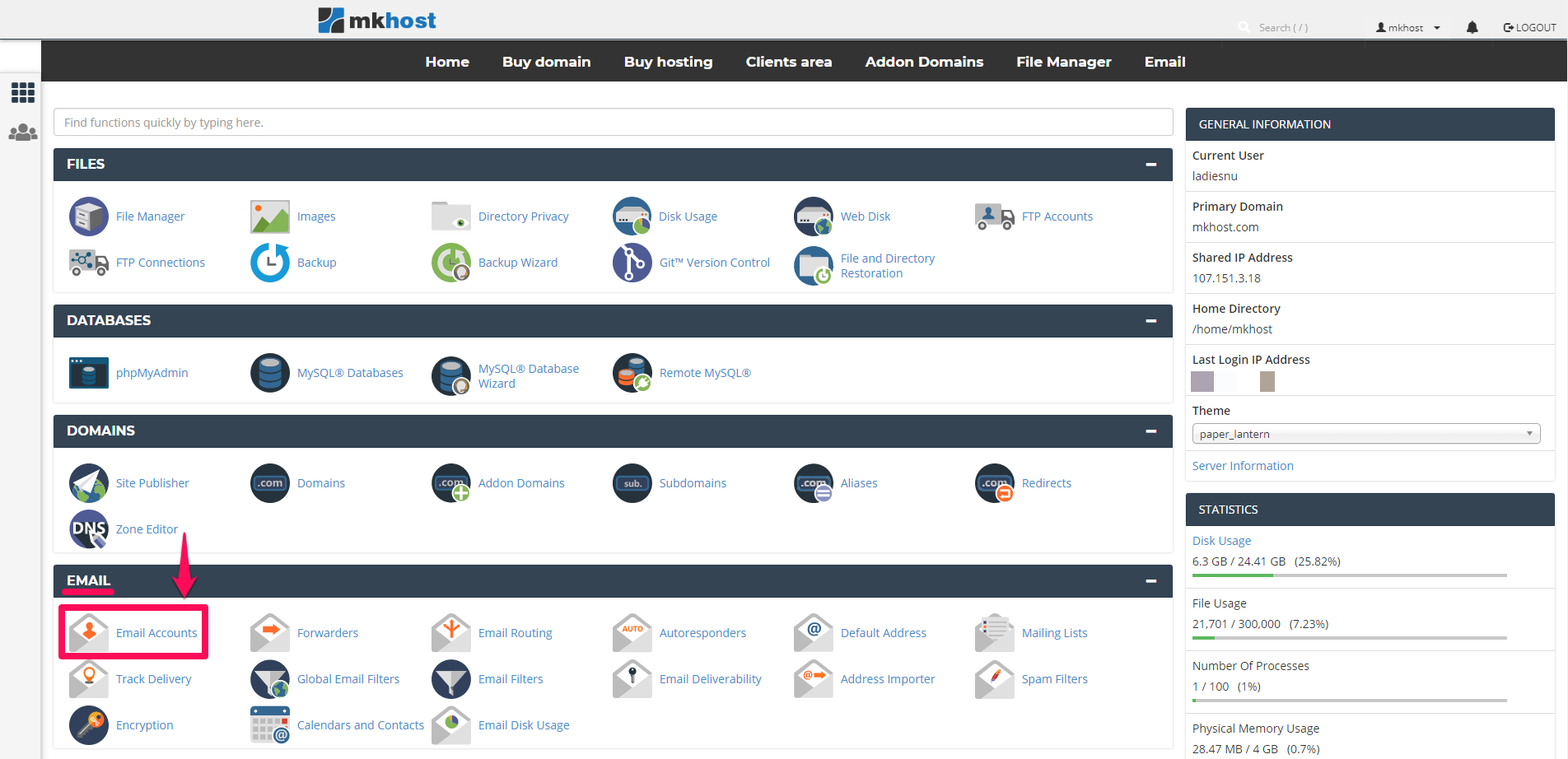
To change the password of an email address, you need to log in to your cPanel and in the Email section click on Email Accounts
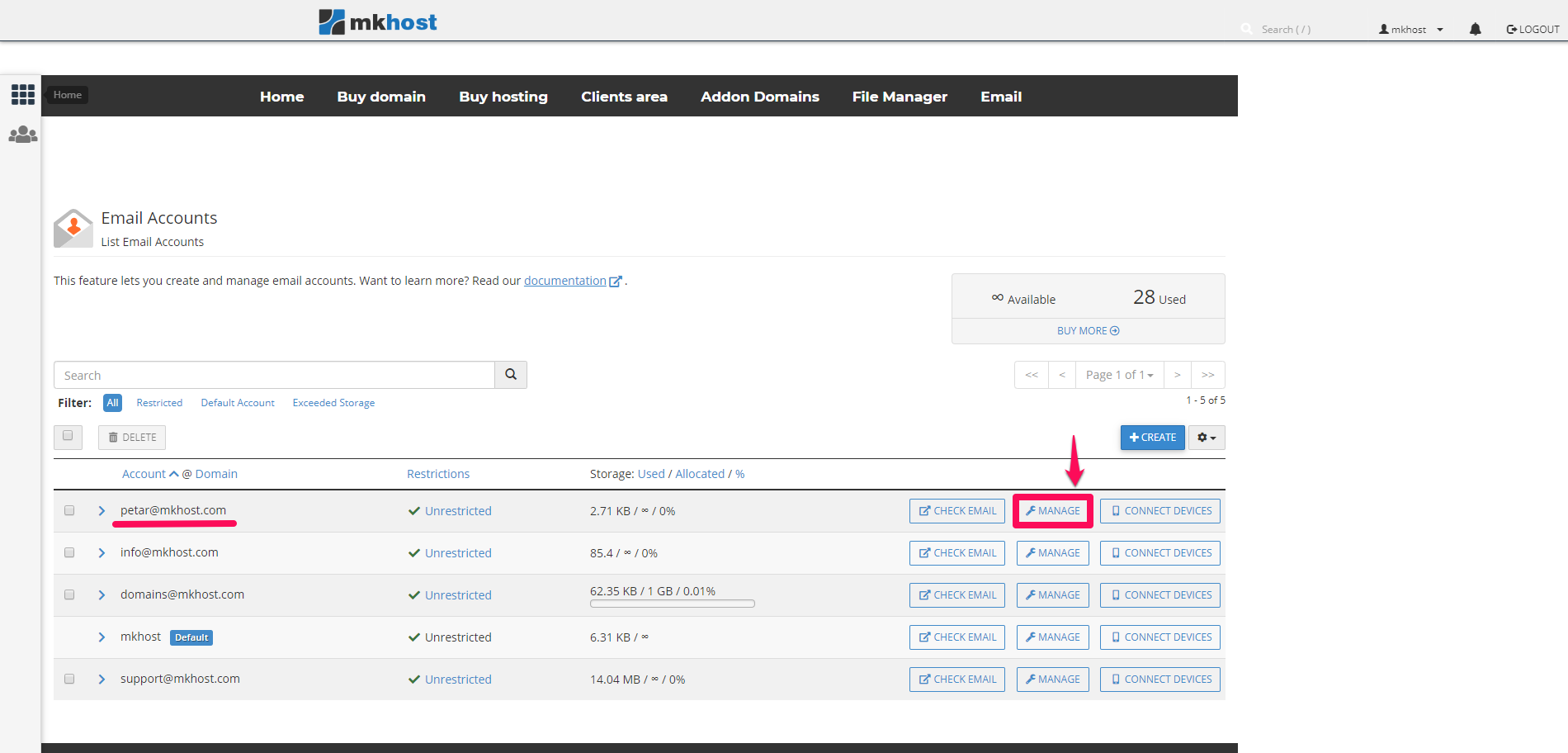
All your email addresses that you have created on your hosting account will open.
Depending on which email you want to change your password for, click the Manage button.
In the newly opened window, in the Security - New Password section, type the password you want to be in the email address and click the button below, Update Email Settings
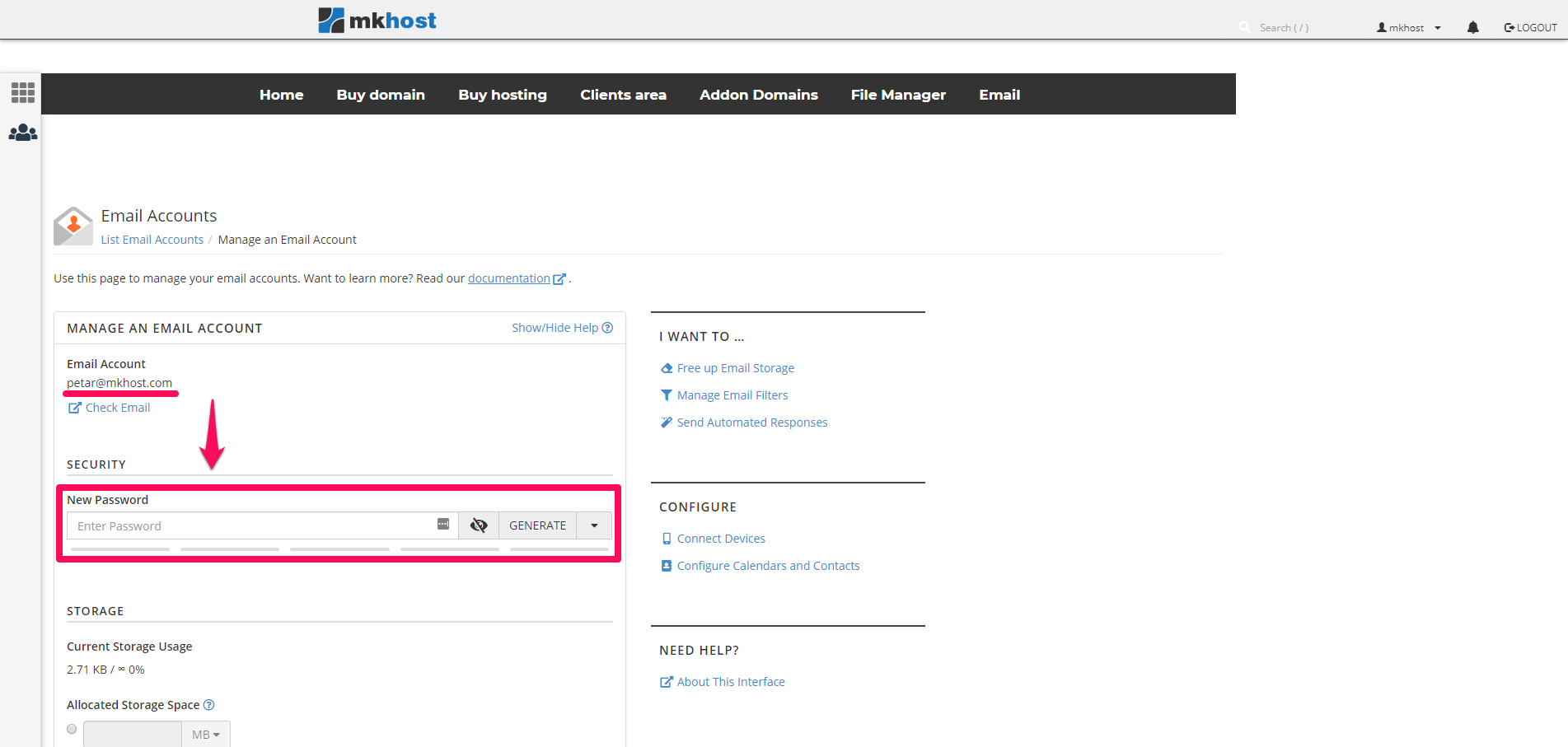
This will change the password for your email.