MKhost Knowledgebase
Need help? Search or browse our large collection of articles on a variety of topics including hosting, domains, emails and more .
Re-signing a domain registration request when the signature is rejected or a new signing method needs to be chosen
If you have placed an order for domain registration and submitted a registration request, the request is checked and authorized manually by MKhost's domain administrators. The request may be invalid and rejected by the administrators, in accordance with MARnet's rules for the registration and management of Macedonian domains.
The most common reason for rejecting registration requests is - An invalid signature on the request by a legal entity or an individual.
Reason: The request has not been signed with a valid digital signature by the manager or the owner of the legal entity, or by the individual.
In accordance with the rules for the registration and management of .mk domains:
- For alegal entity, the request must be signed digitally by the manager or an authorized person with a valid digital signature issued by Evrotrust, KIBS or Telekom, or it must be delivered by cargo or in person, signed manually by the manager or an authorized person and stamped with the company seal.
- Forindividuals, the signature can be digital (through Evrotrust) or a physically signed request can be submitted, in which case a valid identification document (ID card or passport) must be enclosed and the delivery must be made in person by the registrant.
If the request has been rejected, you can re-sign the request or change the delivery method for that request.
Steps for re-signing:
- Log in to portal.mkhost.com.mk.
- From the menu, select "Domains" → "Documents for signing".
- Find the request for the relevant domain
.png)
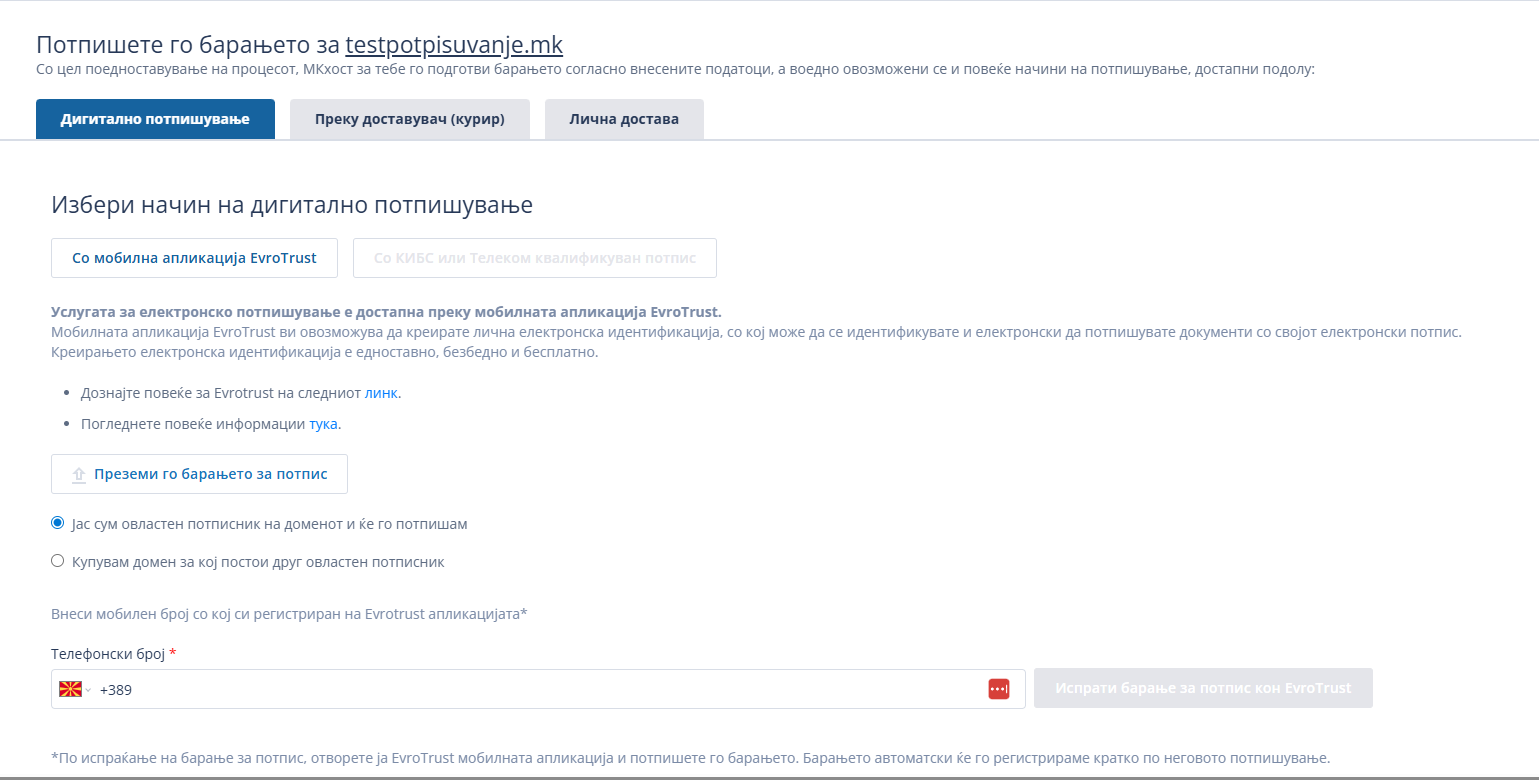
- Click on "Sign again" and choose one of the available methods:
- Electronic signature through Evrotrust – recommended for the fastest processing.
- Digital signature through KIBS or Telekom.
- Physical delivery of a signed document.
Note: Until the details are revised and the request is signed with a valid signature, the domain will not be registered. The registration process will remain in a pending status.