MKhost Knowledgebase
Need help? Search or browse our large collection of articles on a variety of topics including hosting, domains, emails and more .
Paying multiple proforma invoices at once
The bulk payment feature allows you to pay all your unpaid proforma invoices in a single transaction, without having to pay each proforma invoice individually. With this feature you save time and avoid the possibility of forgetting to pay one of your proforma invoices.
Step 1: Log in to the customer portal
- Log in toportal.mkhost.com.mk.
Step 2: Access the list of unpaid proforma invoices
- From the main menu selectPayments → Proforma invoices.
- You will be shown the list of all unpaid proforma invoices awaiting payment.
- Example:"Invoice #12345 – Status: Unpaid
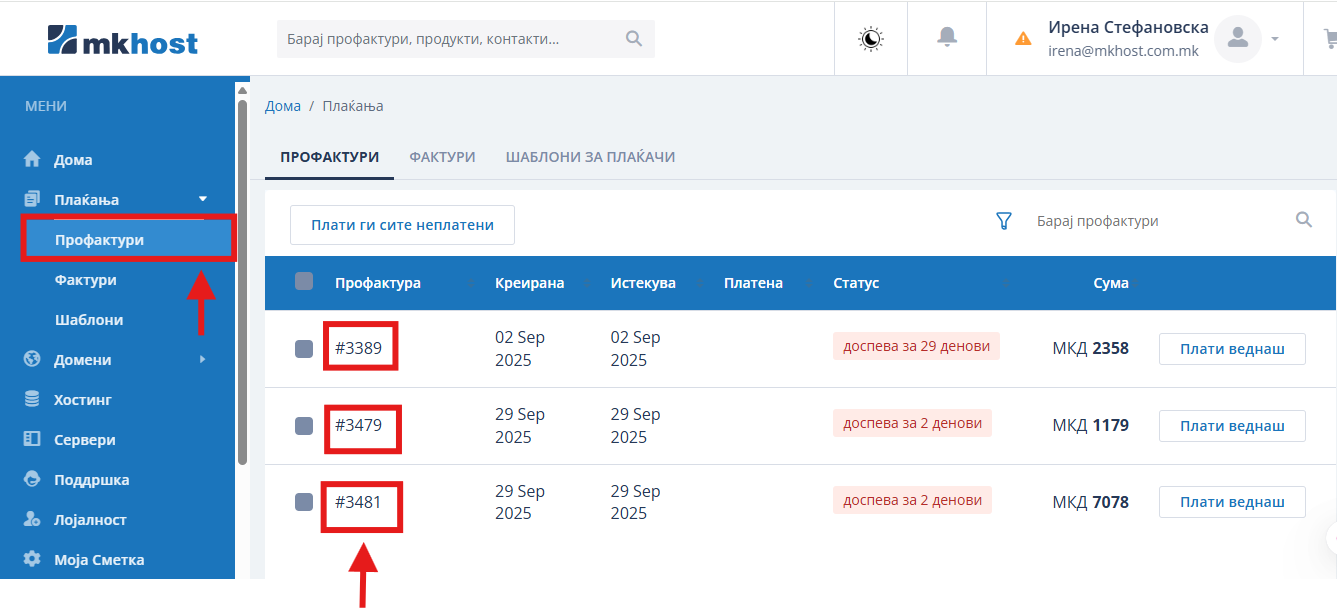
Step 3: Selecting several proforma invoicesSelect all the proforma invoices you want to pay at once, by ticking the field next to each proforma invoice (checkbox).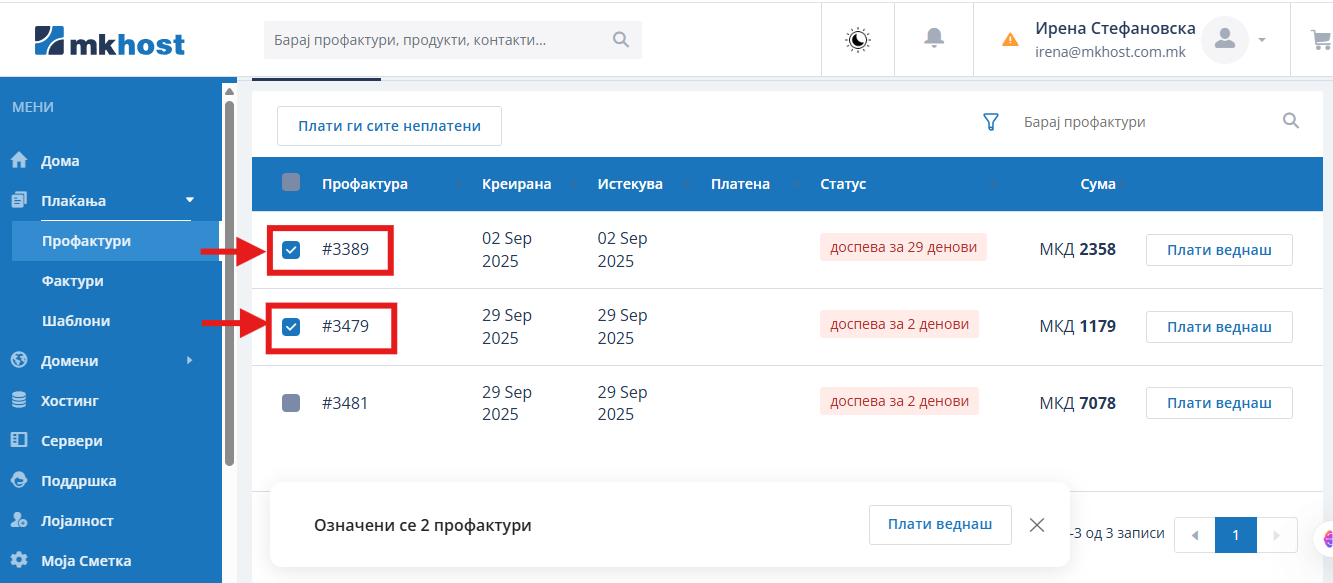
Step 4: Click on the "Pay now" buttonOnce you have selected them, click on thePay nowbutton. The system will automatically calculate the total amount for all the selected proforma invoices.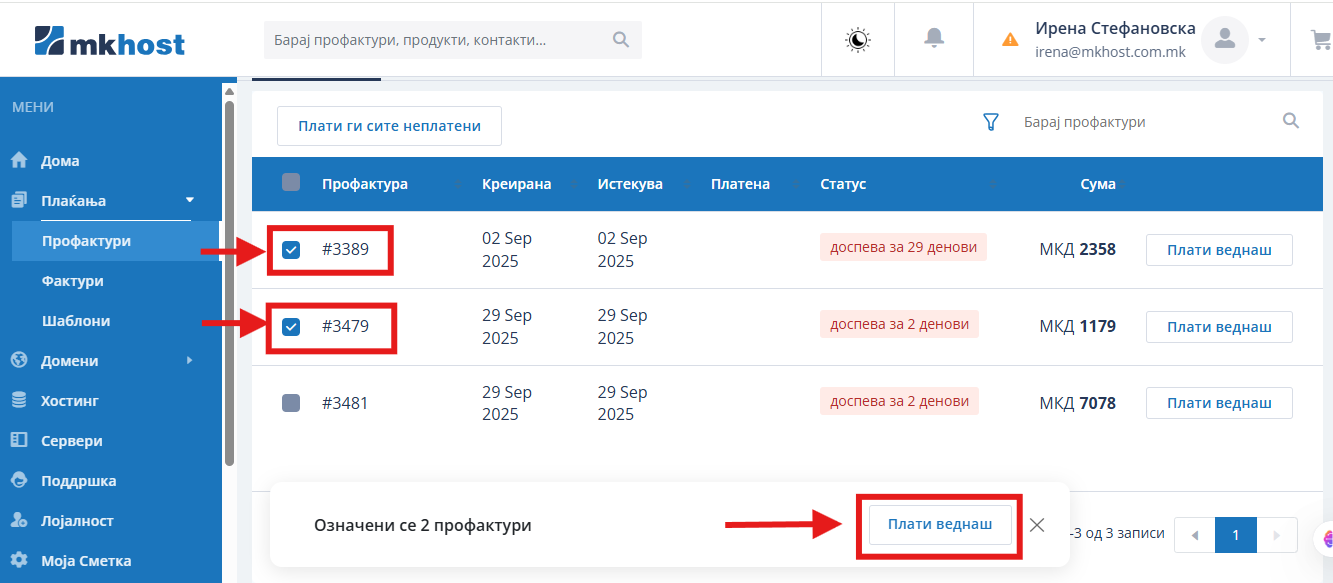
Step 5: Choosing a payment methodChoose the payment method (Credit card) and clickPay now.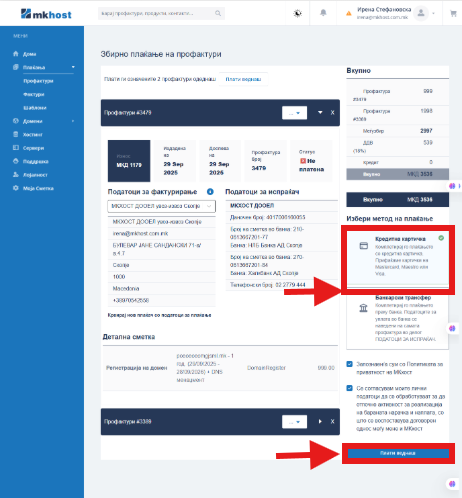
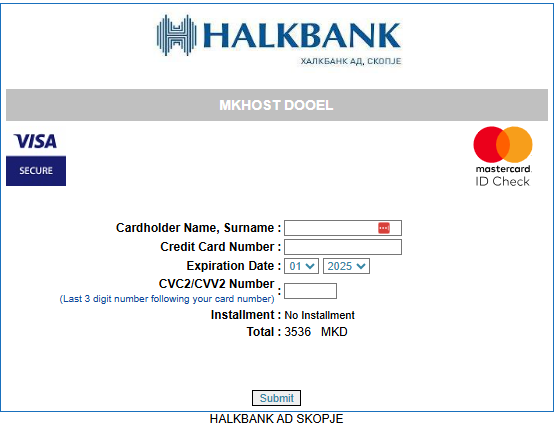
You will automatically be redirected to the bank's system for electronic payment, where you need to enter the details of your card:
- You enter the First and Last name of the cardholder
- You enter the card number
- You select the card's expiry date (month and year)
- You enter the CVV code (a three-digit number) which is found on the back of the card
- And finally you click onSubmit. You need to wait a few seconds and the proforma invoice will have the status paid.
Step 6: Payment confirmationAfter a successful transaction, all the selected proforma invoices will be marked as paid, and you will also receive a confirmation document for the payment made.Important: If you want to pay only one proforma invoice, you can select just that one.