MKhost Knowledgebase
Need help? Search or browse our large collection of articles on a variety of topics including hosting, domains, emails and more .
How to change the email address on your user profile
How to change the email address on your account
Important:Changing your email address also changes your login username. After the change, use yournew email addressto log in to your account.
If you have set uptwo-factor authentication (2FA), it will remain active on your account after you change your email address. This proceduredoes not remove or disable 2FA.
As an MKhost customer, you have an account where you can manage your existing services and purchase new ones.
You can update your account details at any time.
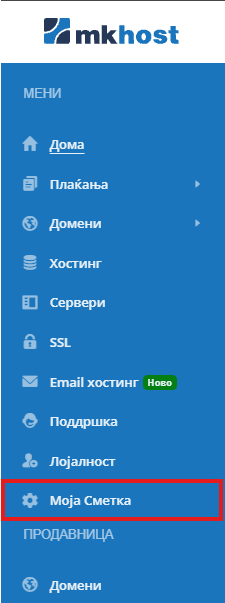
After logging in, select“My Account”from the menu to access your account details.
In the“General Information”section, you will see your current email address. Click the pencil icon to the right of the address to open the email change form.

The following screen will appear:
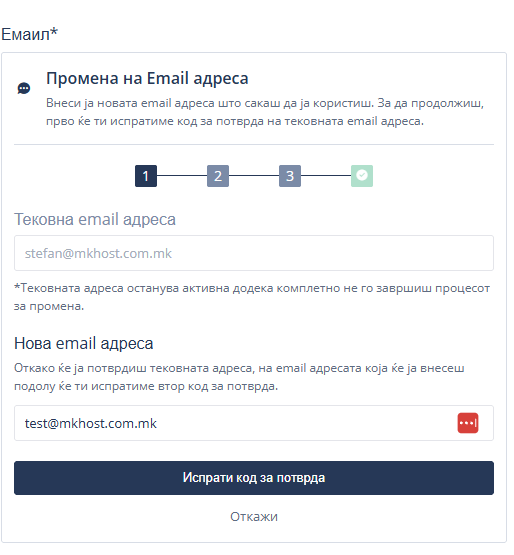
In the“New Email Address”field, enter the address you want to use. Check that it is entered correctly, then click“Send Verification Code”.
You will receive a message containing a6-digit verification codeat your current email address. Open the message and enter the code in the corresponding field in the portal.
If the message does not arrive, check yourSpam/Junkfolders and wait a few minutes. Also, make sure you are checking the correct inbox.
The message should look like this:
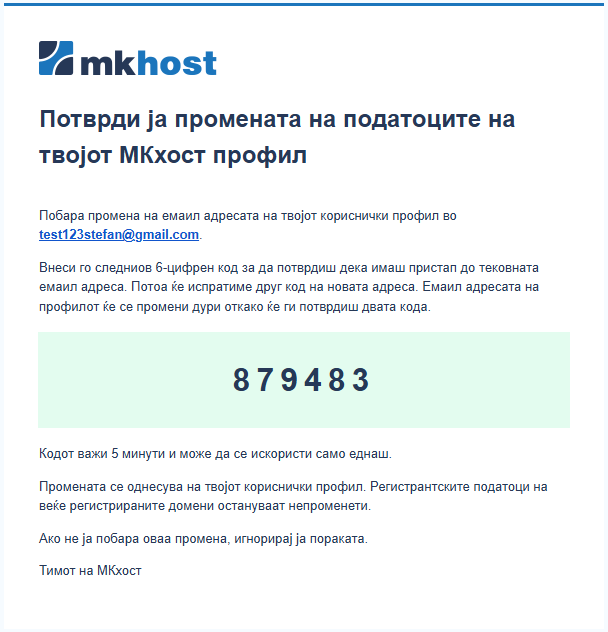
After verifying your current email address, you will receive a second code at yournew email address. Open your new email inbox and enter the second code in the portal to complete the change.
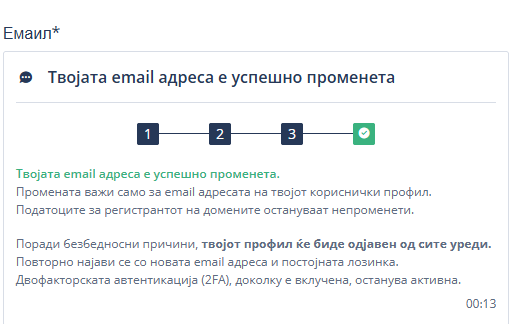
Once both codes have been successfully verified, a notification will appear on the screen confirming that your email address has been changed successfully.